
AI Image Denoiser for Cleaner Photos
Low light, high ISO, phone processing, and repeated sharing can leave photos looking grainy or muddy. PicUpscaler can reduce visible noise while creating a larger 2x, 4x, or 8x result. It works best when the photo still contains usable detail; very small, heavily compressed, or extremely noisy files may still have limits.
Upload Your Image
Drag and drop or click to browse. JPG, PNG, and WebP supported.
What AI Denoising Can Improve
Grain Goes. Real Texture Stays.
The hardest part of denoising is reducing grain without making the whole image look soft. PicUpscaler can make noisy areas look cleaner while preserving visible texture when the source image has enough real detail. Use the before/after preview to check faces, fabric, product surfaces, and other important areas.
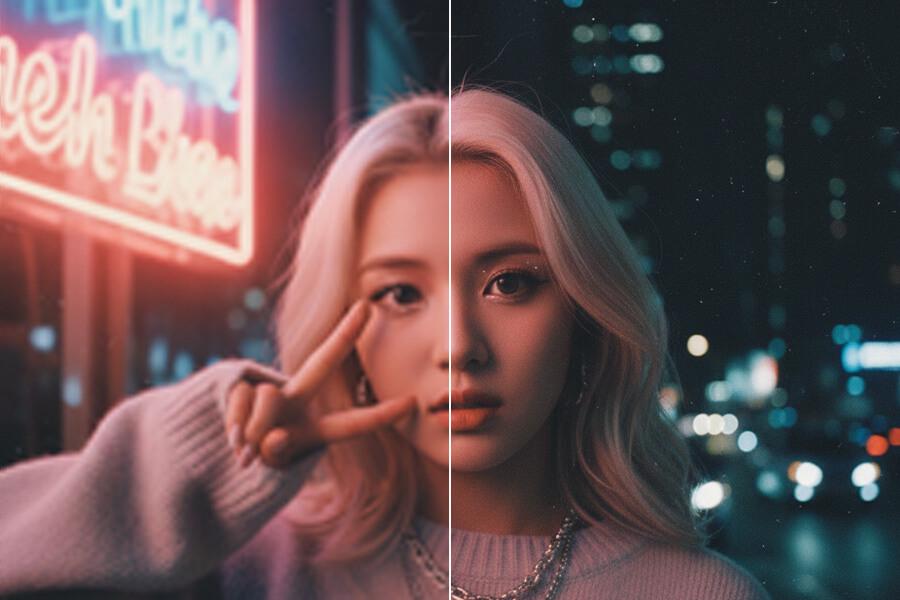
Useful for Low-Light and High-ISO Photos
Indoor photos, night shots, and older camera files often show luminance grain and color noise, especially in shadows and smooth areas. PicUpscaler can reduce that distracting noise while producing a larger output. The final result still depends on exposure, compression, and how much detail exists in the original.
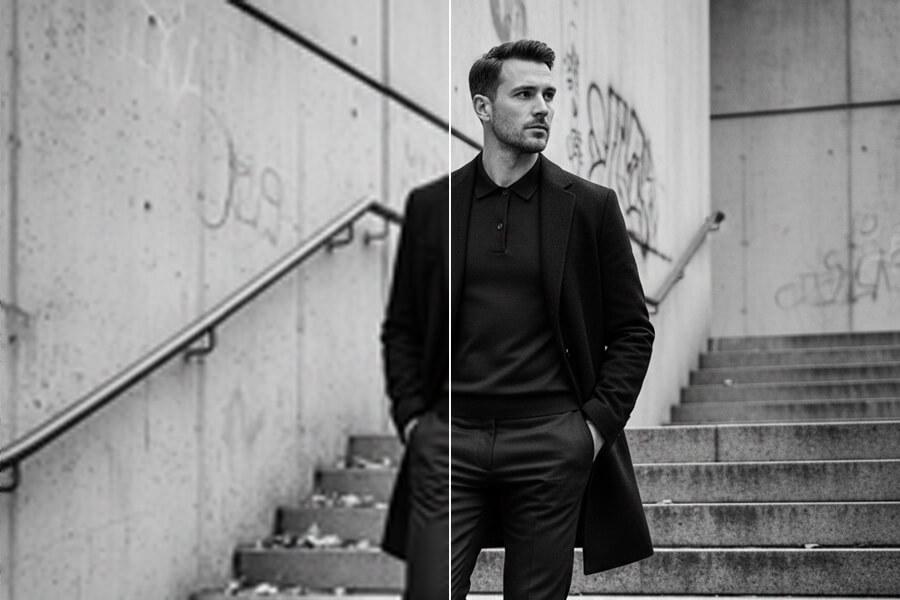
JPEG Compression Noise — Not Just Camera Grain
Grain from high ISO is only one type of noise. JPEG compression can create blocky patterns, color banding, and a muddy look after repeated saving or sharing. PicUpscaler can improve many compressed or phone-processed images, but files that have lost too much detail may not become clean or sharp enough for every use.
Free includes 3 2x upscales per day; Pro includes 400 2x and 400 4x upscales per month with no ads.
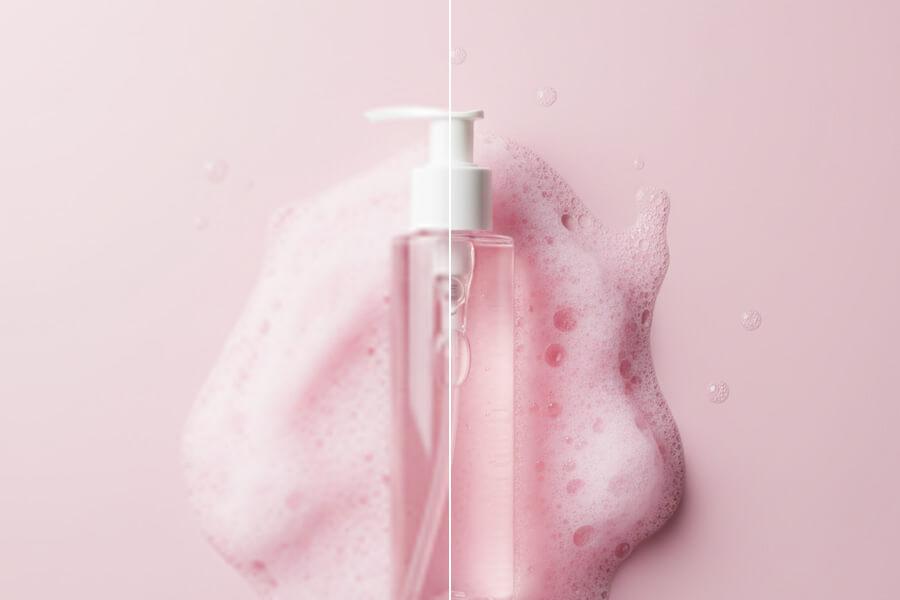
How to Denoise a Photo — 3 Steps
Upload Your Noisy Photo
Drag in a JPG, PNG, or WebP file up to 5MB. Free users can start with the core workflow; higher scale options are available on paid plans.
AI Reduces Visible Noise
PicUpscaler reduces visible grain and compression noise while producing a 2x, 4x, or 8x output depending on your selected scale and plan. Clearer source files usually produce cleaner results.
Download the Clean Photo
Compare before and after to verify that grain is reduced and real detail is still sharp. Processing time depends on file size, selected scale, image complexity, and current system load. Download at full resolution with no watermarks.
Image Denoiser — Common Questions
What's the difference between luminance noise and color noise?
Luminance noise is the classic grainy look — random variation in brightness from pixel to pixel, especially visible in smooth areas like skies or skin. Color noise shows up as randomly colored pixels (red, green, blue speckles) and is most visible in shadows and low-light areas. High-ISO photography usually produces both simultaneously. PicUpscaler's denoiser addresses both types in a single pass, handling them with separate correction approaches since they have different visual characteristics.
Will denoising make my photo look blurry or over-smoothed?
Over-smoothing is a common failure mode for denoising. PicUpscaler aims to reduce visible grain while keeping useful detail, but very noisy or heavily compressed photos can still lose texture. The before/after preview lets you verify the result before downloading.
Does it work on phone photos?
Yes. Indoor phone photos and night shots are common use cases because they often combine sensor noise, compression, and phone processing artifacts. Results depend on the original exposure, sharpness, and compression level.
What about photos that have been shared multiple times (WhatsApp, Instagram)?
Social sharing adds compression noise on top of whatever the original photo already had. After a few rounds, images can look muddy and blocky. PicUpscaler can make many of these images cleaner, but a heavily degraded file may still show artifacts after processing.
Can I denoise without upscaling?
Not as a separate production option yet. The current workflow denoises while producing a 2x, 4x, or 8x output. Use 2x for daily free processing, upgrade to Pro for 4x, or choose Premium for 8x when you need larger clean files.
What file formats are supported?
JPG, JPEG, PNG, and WebP. PNG transparency is preserved through denoising, which matters for logos or images with transparent backgrounds.
How long does processing take?
Most photos finish quickly, but timing depends on file size, selected scale, image complexity, and current system load.
Is it free?
You can start free and download output without watermarks. Paid plans are available for higher scale options and more regular processing.
Is my photo private?
Yes. Images are encrypted in transit and automatically deleted after 72 hours. We don't use uploaded photos for AI training and don't share them with third parties.
Can I use denoised photos commercially?
Yes, with no restrictions. Denoised images can be used in client work, commercial publications, product listings, marketing materials, and any professional context.